Booking.com — Trip Map
A UX research project for the Booking.com app: an in-app map that shows travellers their real-time route between airport and hotel — or between hotel and the day's activity — to take the mental load out of getting around on a trip.

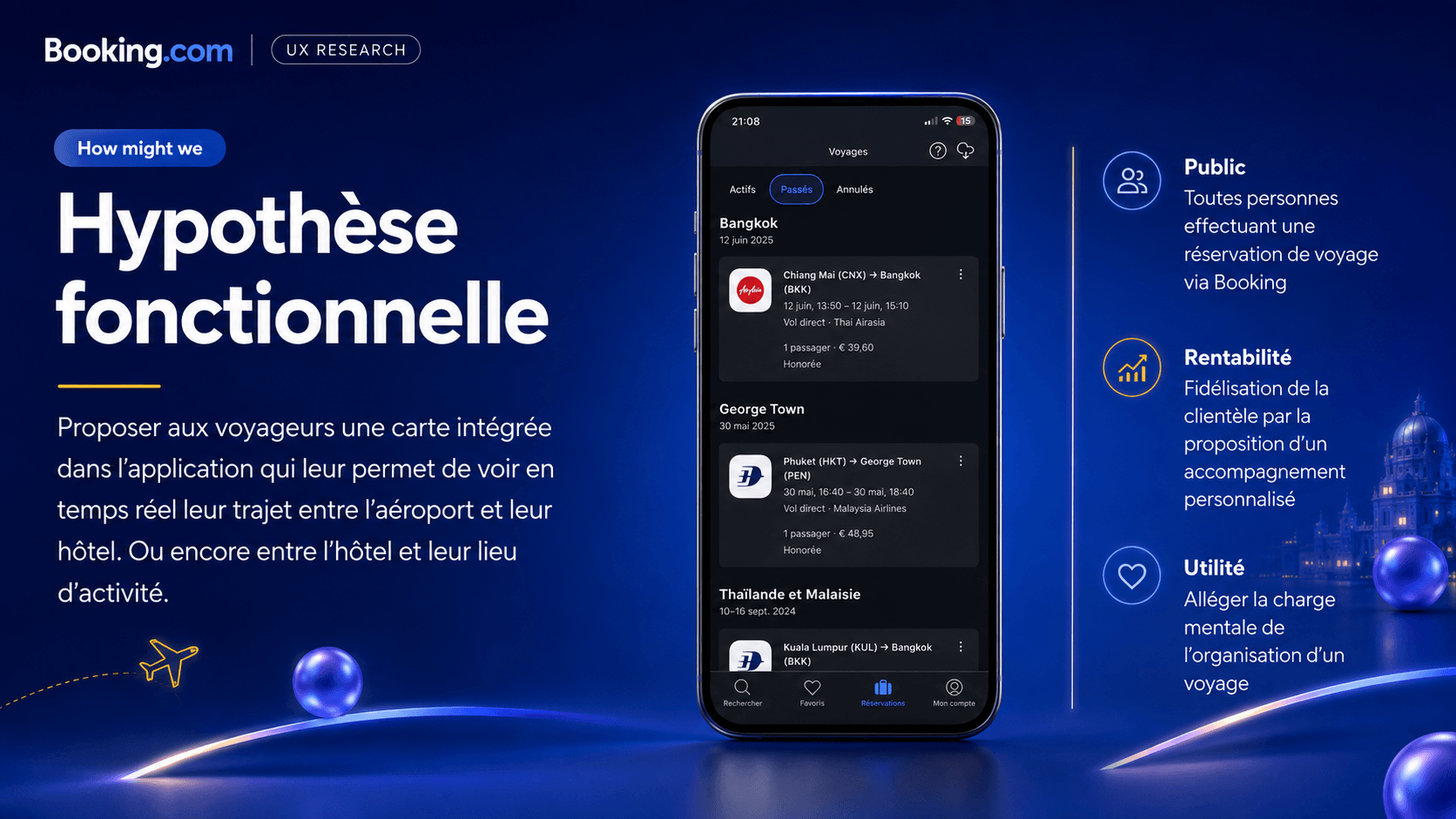
How might we — the functional hypothesis: give travellers a map built into the app that shows, in real time, their route from the airport to their hotel, and from the hotel to wherever the day takes them, without leaving the booking they already made.
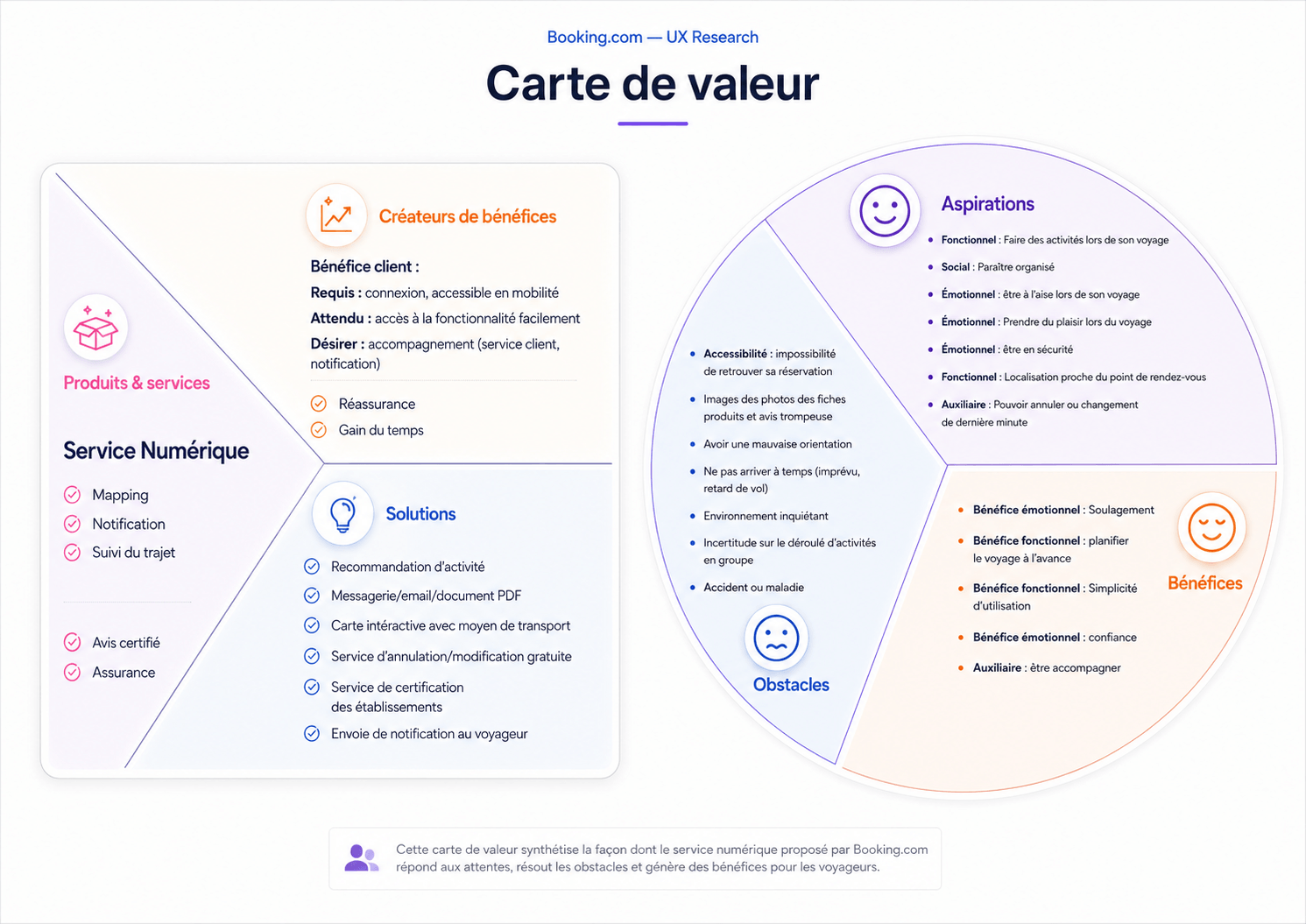
A value proposition canvas frames the feature against the traveller's jobs, pains and gains: a digital service built on mapping, notifications and trip tracking — plus certified reviews and insurance — answering the need for reassurance, time saved and being accompanied, from booking to arrival.
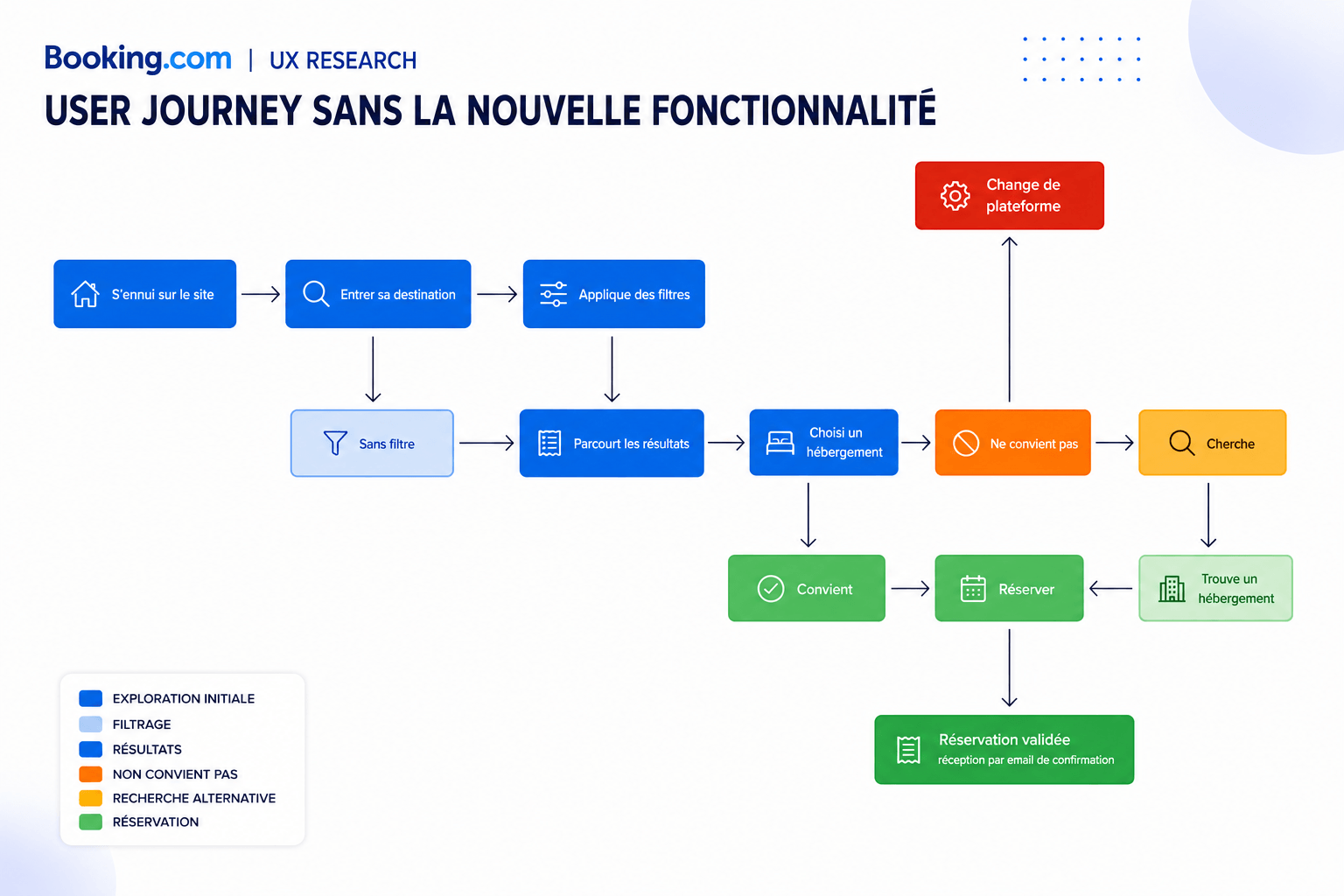
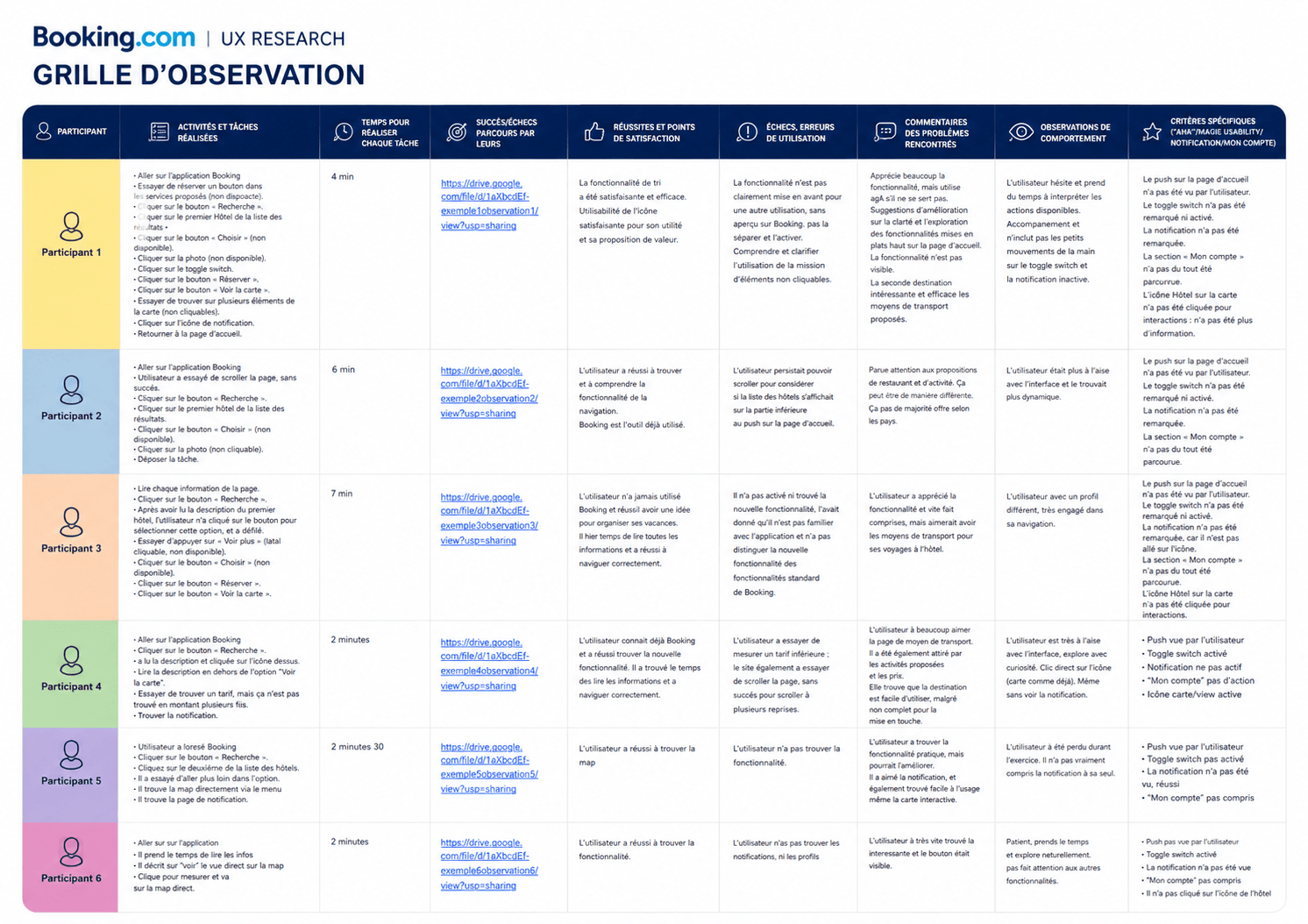
Method: a written protocol first — a short pre-interview to screen for the target user, then five to seven scripted scenarios around booking a hotel, an activity or a restaurant and pulling up a trip's route. Then moderated usability tests with six participants on the prototype, logged in an observation grid — task completion, time on task, successes and failures, spontaneous behaviour, and targeted criteria (the "aha" moment, the notification, the account area).
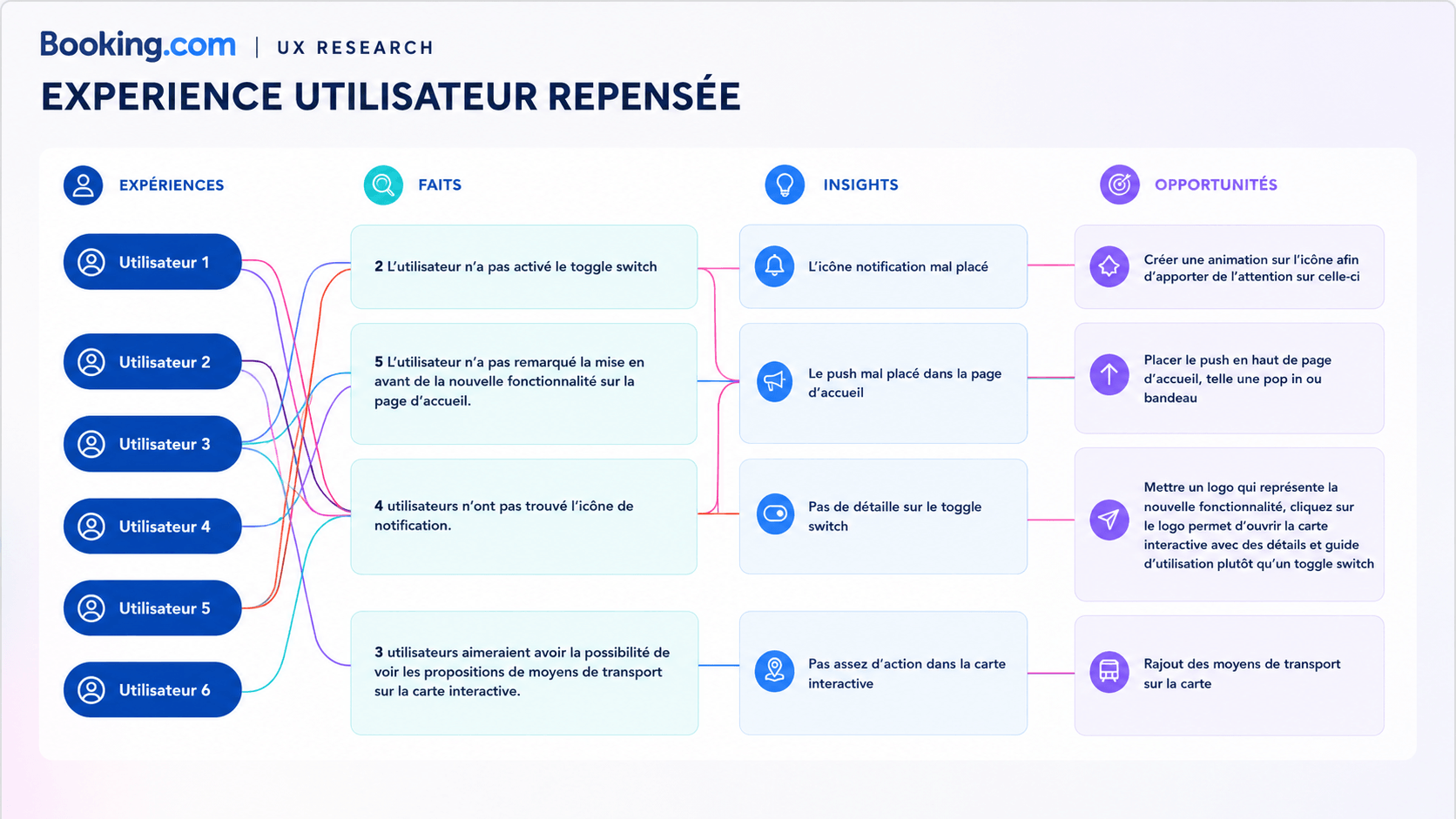
The tests drove the redesign. The homepage push went unnoticed — move it to the top as a banner or pop-in. The toggle switch was never activated and no one understood it — replace it with a labelled entry point that opens the interactive map with a short guide. The notification icon was missed — animate it. Travellers wanted transport options on the map — add them.
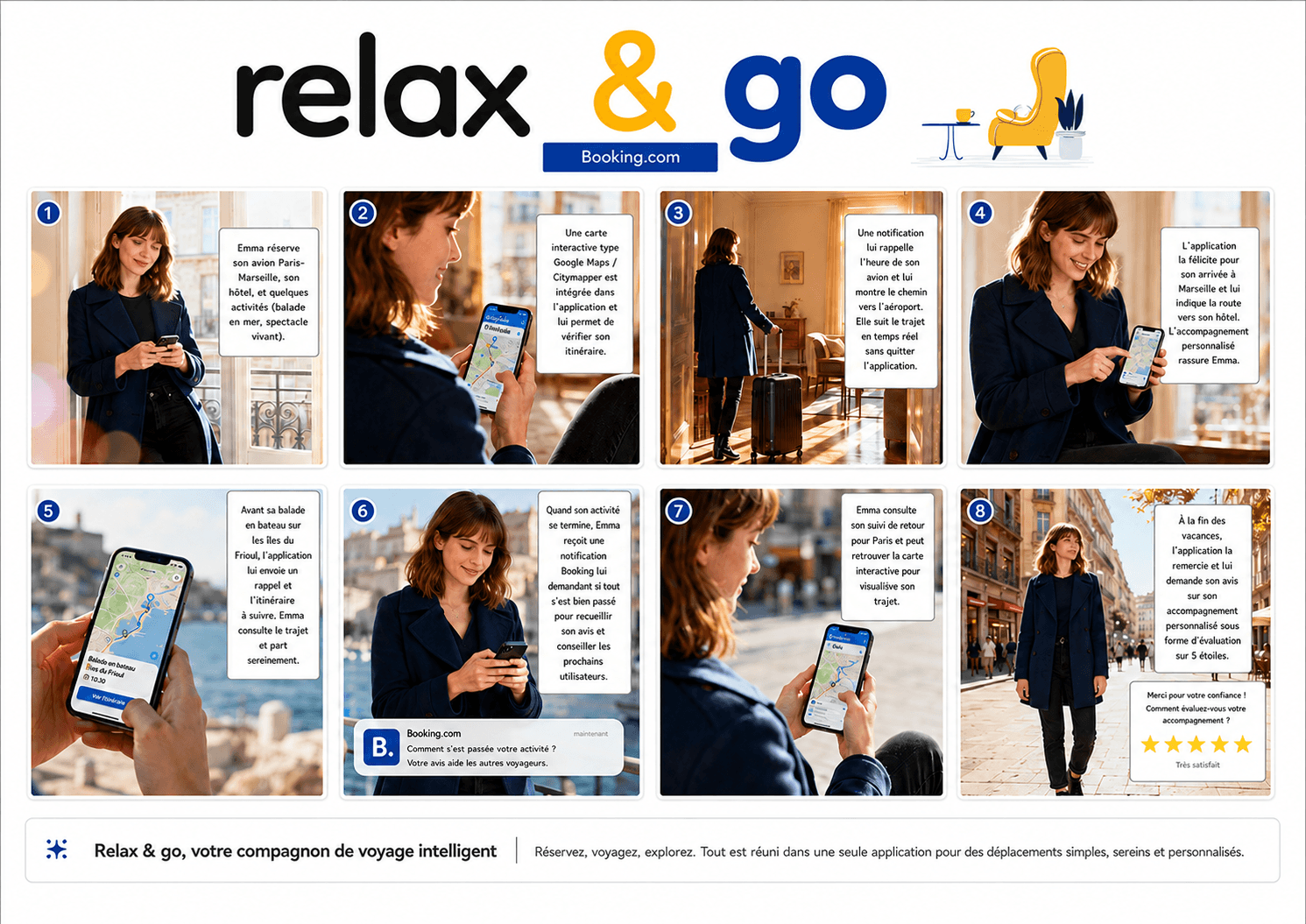
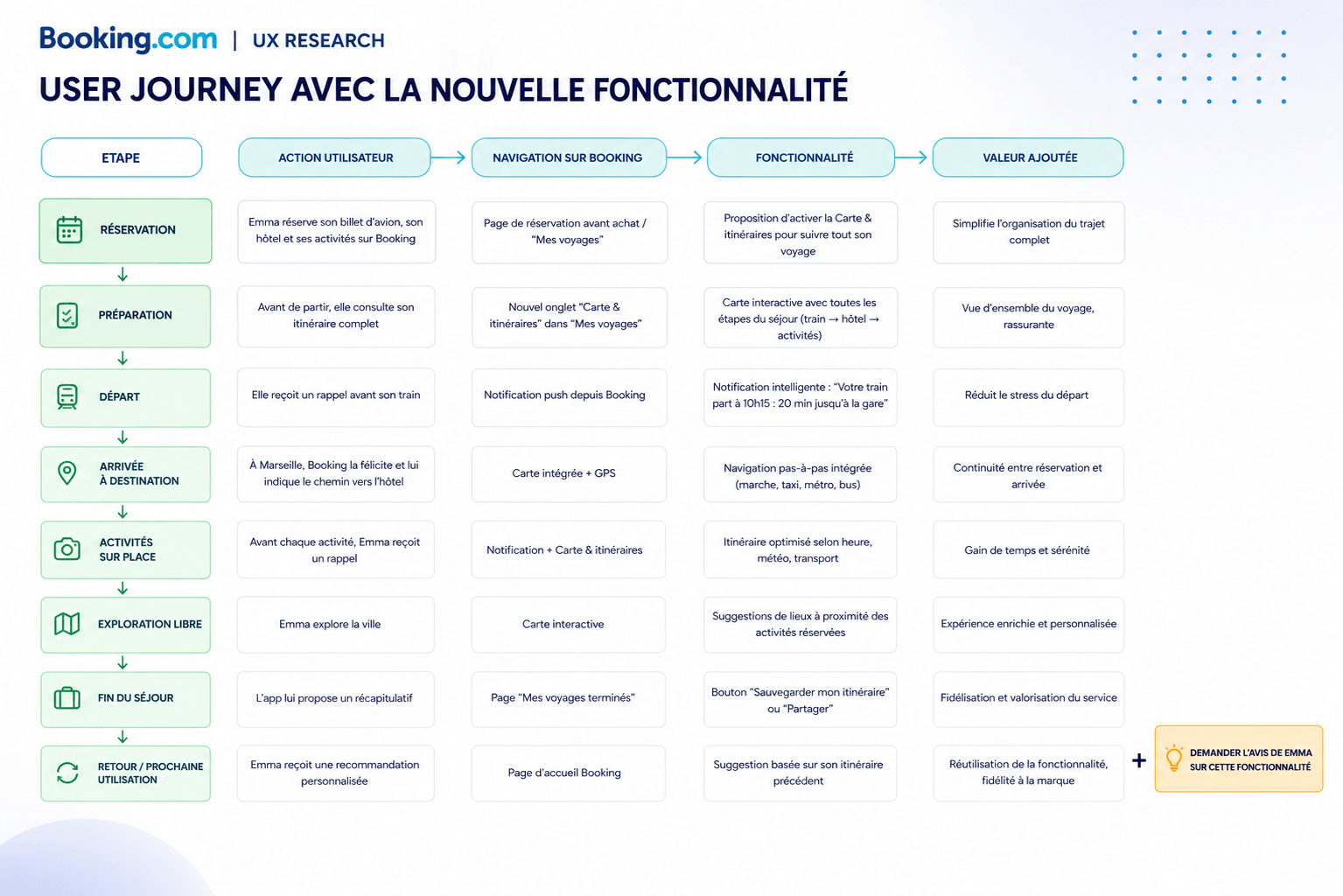
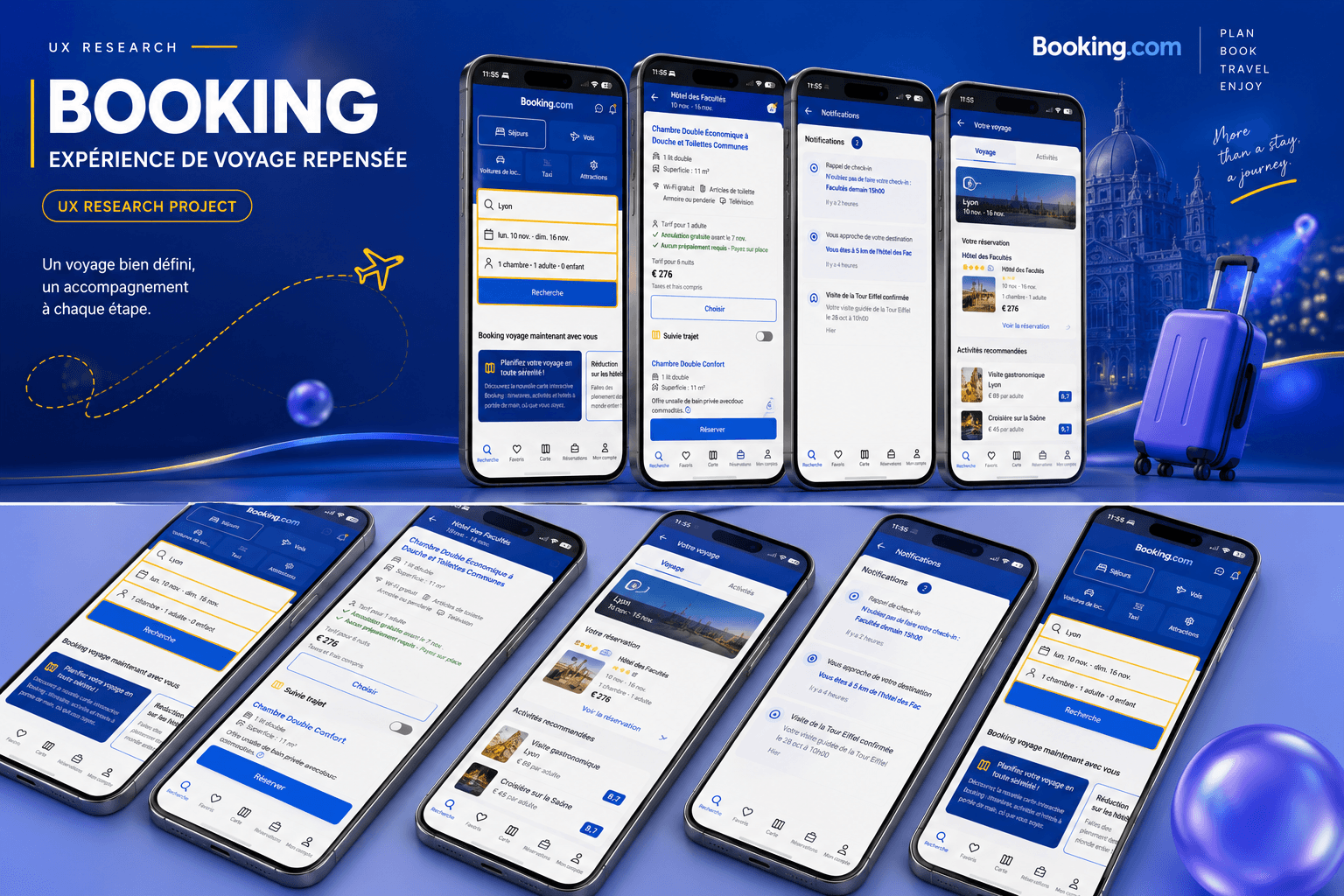
The delivered flow — "Map & Go": travellers meet it on a promo card on the home screen, turn on real-time itineraries from the hotel page, and land on a map that ties together their live position, their hotel and the activities nearby, with transport options and a shortlist of things to do close by. A journey map traces the persona across the whole trip — booking, prep, departure, arrival, on-site activities, free exploration, wrap-up and the next trip — pinning the value the feature adds at each step.
- UX Research
- Usability testing
- Value proposition canvas
- Mobile app
(Tech Stack)
Tools & technologies
 Figma
Got a project in mind?